The box
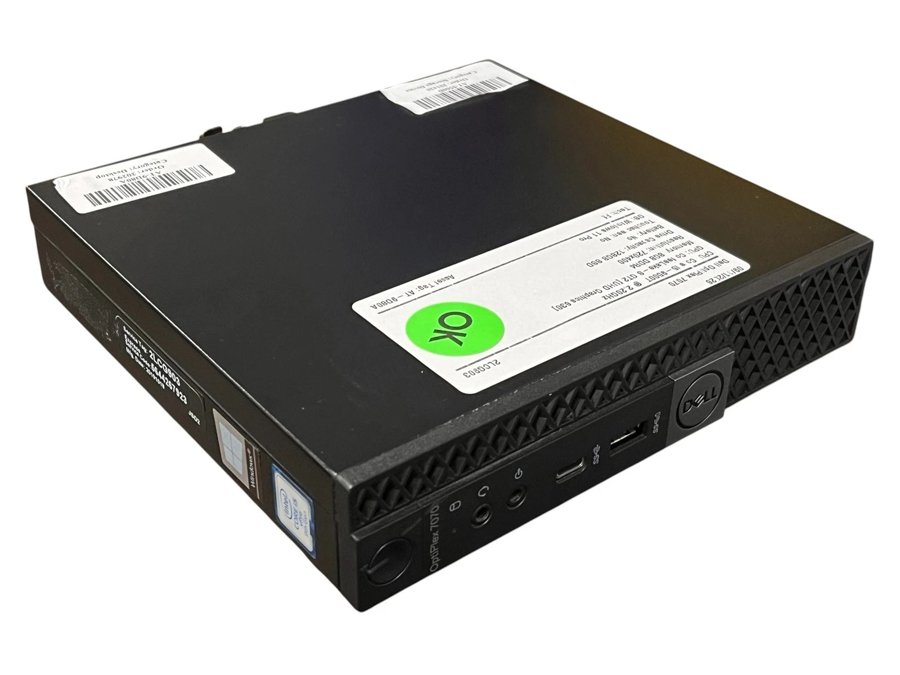
Dell OptiPlex 7070 Micro · Intel Core i5-9500T · 8 GB · 128 GB SSD · Windows 11 Pro
A business desktop the size of a hardback book. Six cores, 35 watts, and the piece that matters for a media server: Intel's UHD 630 Quick Sync video engine, which converts video in hardware so the CPU barely wakes up. It idles at roughly 10 W and tops out near 40 W, a light bulb.
Mind the two catches. This listing does not include the power brick (about $16, below), and 128 GB is a small system drive. Your films live on the IronWolf, so 128 GB is fine for the operating system and Jellyfin itself.
Open the listing on eBayIf that one sells out: the same box with more inside
| Listing | Inside | Price |
|---|---|---|
| OptiPlex 7070 Micro, i5-9500T | 16 GB · 256 GB SSD · Windows 11 · no Wi-Fi card (a server does not need one) | $169.00 free delivery, free returns |
| OptiPlex 7070 Micro, i5-9500T | 16 GB · 500 GB SSD · Windows 11 Pro · power brick included | $189.00 or best offer, + $12.25 delivery |
Either of these skips the memory and brick steps below. The $189 one with the brick and the bigger drive is the tidy choice if you would rather not open the case.
Two small things to add
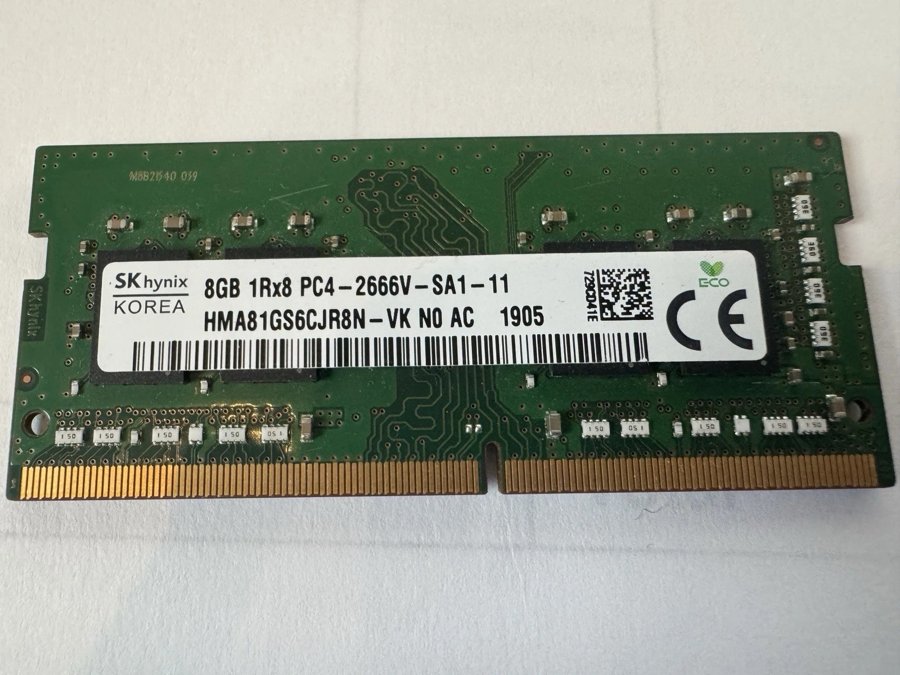
One more 8 GB stick of memory
The 7070 takes laptop-style DDR4-2666 SODIMM memory and has two slots; the box ships with one 8 GB stick. Add one more and you have 16 GB running in dual channel, which is all a Jellyfin server will ever want. It clips in without tools: one screw, slide the lid, press the stick in at an angle, push down until it clicks.
Cheaper if you do not mind paying shipping separately: Goodram 8 GB, $20.99 + $5.58 or Ramaxel 8 GB, $19.00 + $8.30. Any brand of DDR4-2666 (or 3200) SODIMM works.
A genuine Dell 65 W power brick, 4.5 mm tip
The micro desktops use a laptop-style brick with the small 4.5 mm barrel. A used genuine one is the right buy; the no-name copies run hot.
New from Dell it is $29.99 if you would rather. 65 W or 90 W both work; the box draws under 40 W.
What it will do for you
Direct play versus transcoding, in plain words
When your TV can play a file as it is, Jellyfin just hands the file over. That is direct play, it costs the server almost nothing, and a modern TV or a streaming stick does it for nearly everything. Transcoding is when the server has to convert the video first: a phone on a weak connection, an old TV that cannot read HEVC, a browser tab, or a subtitle that must be burned into the picture. Converting video is heavy work, and that is exactly the job Quick Sync does in hardware on this chip.
| Video format | Decode (reading the file) | Encode (writing the new stream) |
|---|---|---|
| H.264 / AVC, the common 1080p format | Hardware | Hardware |
| HEVC / H.265 8-bit | Hardware | Hardware |
| HEVC / H.265 10-bit, nearly all 4K and HDR films, most x265 downloads | Hardware | Hardware |
| VP9 (YouTube-style) | Hardware | Software |
| AV1 (new, still rare in libraries) | Software only, too slow above 1080p | No |
That 10-bit HEVC line is why this generation and not an older one: 6th and 7th generation chips fall to software there, and software means stuttering on 4K.
How many streams at once
Honest working figures for this chip in Jellyfin with hardware acceleration on. Direct play streams are not counted; add as many of those as your network carries.
| Job | At the same time |
|---|---|
| 1080p H.264 → 1080p or lower | 8 to 12 |
| 1080p 10-bit HEVC → 1080p H.264 | 5 to 8 |
| 4K HDR HEVC → 1080p, with HDR-to-SDR tone mapping | 2, sometimes 3 (tone mapping is the expensive part) |
| 4K HEVC → 4K H.264 | 1 to 2 |
| Anything, if hardware acceleration were switched off | 1 or 2 at 1080p, on six busy cores |
A house with three or four TVs and a couple of friends streaming from outside will not run this box out of breath. Remote streams are limited by your home's upload speed, not by the server.
Jellyfin settings that switch the hardware on
- Install Jellyfin Server (free, no subscription for hardware transcoding, unlike Plex).
- Dashboard → Playback → Transcoding. Hardware acceleration: Intel QuickSync (QSV) on Windows. On Linux choose VA-API and give the Jellyfin user the
rendergroup (sudo usermod -aG render jellyfin). - Tick hardware decoding for H264, HEVC, HEVC 10bit, VP9, VP9 10bit. Leave AV1 unticked.
- Tick Enable hardware encoding and Enable Intel Low-Power encoder (it is the newer, better QSV path on this chip).
- Tick Enable tone mapping so 4K HDR films look right on phones and older TVs.
- Set the transcode folder to the SSD, not the IronWolf; it is scratch space.
The drive you are getting
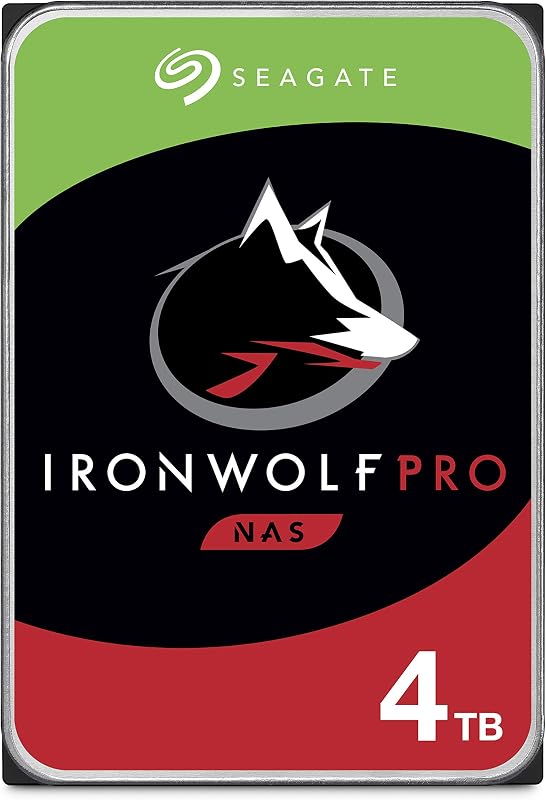
Seagate IronWolf Pro 4 TB
This is a drive built to run all day in a server. Four terabytes holds roughly 400 films in 1080p, or 90 to 120 in 4K, or a few thousand TV episodes. It reads at about 250 MB/s, far more than any stream needs.
The one wrinkle: the OptiPlex Micro has no room for a 3.5-inch drive inside; it only fits a small 2.5-inch drive and an M.2 stick. So the IronWolf lives in a box beside the computer, plugged into a blue USB 3 port on the back. For a media server that is not a compromise at all: USB 3 carries 5 Gb/s, twenty times what one 4K stream uses.
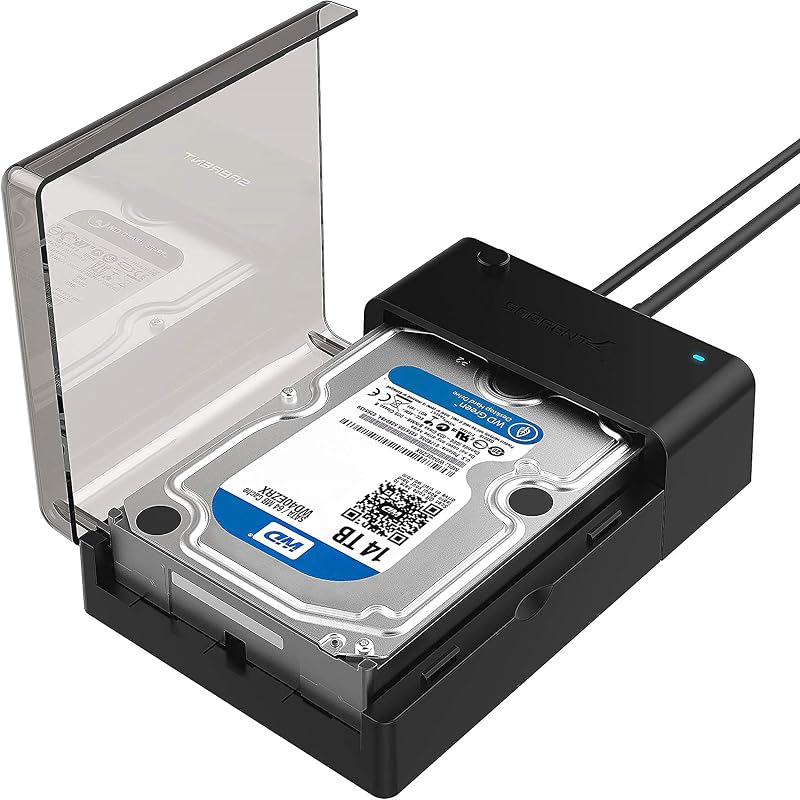
Option A · a simple dock, one drive
Sabrent's lay-flat dock: drop the IronWolf in, plug in USB and the included 12 V adapter, done. Supports UASP (the fast USB mode) and drives of any size. No RAID, nothing to configure.
Prefer a closed enclosure with a fan? The upright Sabrent EC-UBLB is $29.99 and sleeps the drive when idle.
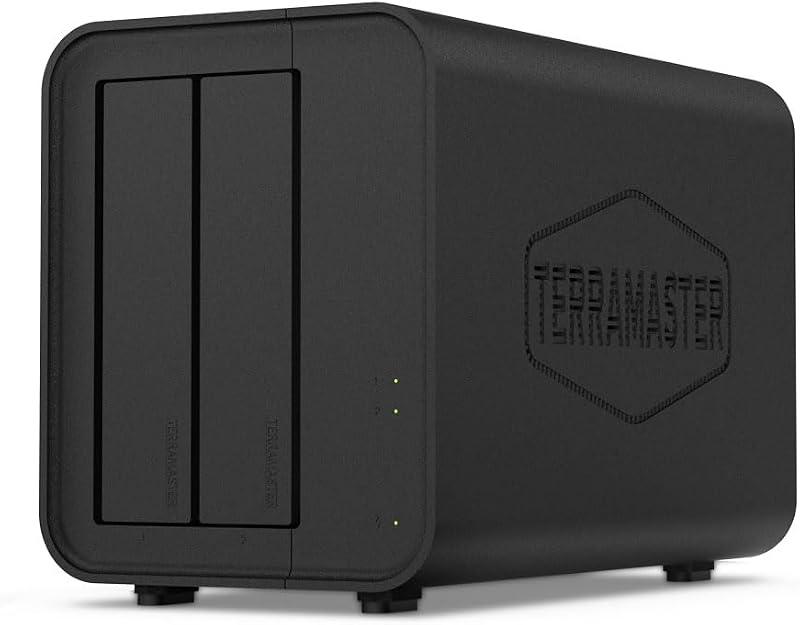
Option B · a two-bay DAS with hardware RAID
TerraMaster's D2-320 holds two 3.5-inch drives and connects over USB 3.2 at 10 Gb/s. A switch on the back sets RAID 1 (mirror), RAID 0 (stripe), JBOD or single disks. Start it with the IronWolf alone as a single disk; add a second 4 TB later and flip to RAID 1.
RAID, briefly and honestly
| Mode | What it does | For a media server |
|---|---|---|
| Single disk / JBOD | Each drive is its own letter. Simplest. | Where to start. Jellyfin can point at two folders on two drives. |
| RAID 1 (mirror) | Two drives hold identical copies. One can die and nothing is lost; you get half the total space. | Nice to have once you own a second 4 TB. Protects against a dead drive, not against deleting the wrong folder. |
| RAID 0 (stripe) | Two drives act as one big fast one. If either dies, everything is gone. | Never for a library you care about. |
RAID is not a backup. Films you can download again do not need one. Family photos and home video do: keep a second copy somewhere else, even a cheap external drive in a drawer, and run a copy once a month. A second IronWolf Pro 4 TB is $301 on Amazon today, so a mirror is a later step, not a day-one purchase; any 4 TB drive of the same size will mirror with it.
Connection notes. Use a blue USB 3 port on the back, not the front. Format the drive once: NTFS on Windows, ext4 on Linux. In Jellyfin, add libraries pointing at folders on the drive (D:\Movies, D:\TV), and name files the way Jellyfin likes: Movie Name (2019).mkv and Show Name\Season 01\Show Name S01E01.mkv. Tell Windows not to sleep the USB drive (Power Options → USB selective suspend → Disabled) so a film never pauses at minute twenty.
A little rack to keep it tidy
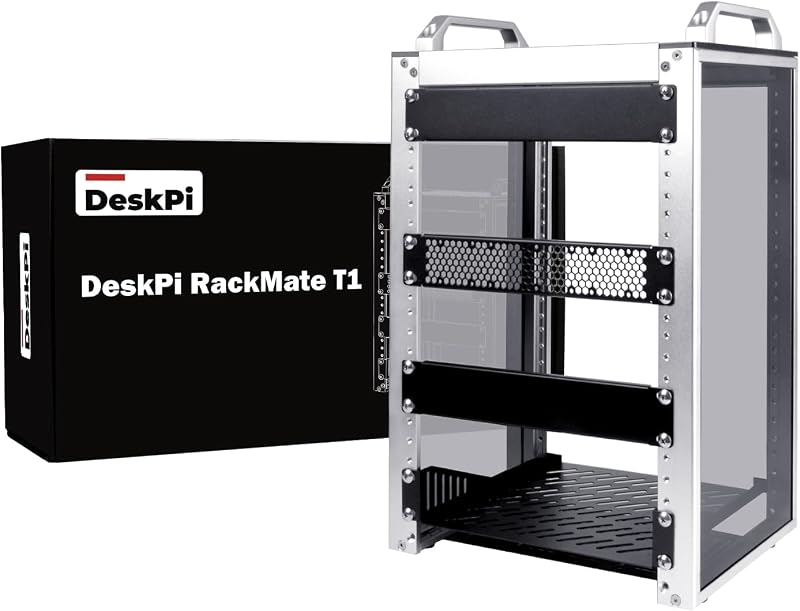
DeskPi RackMate T1 · 8U, 10-inch
Everything on this page is small: the OptiPlex Micro and an HP EliteDesk Mini are each about 7 inches square and 1.4 inches tall, which is one rack unit on a shelf. A 10-inch rack (half the width of the big server kind) is made for exactly these, and the 8U height takes the whole stack with room to spare.
Want more room later? The 12U RackMate T2 is $149.99.
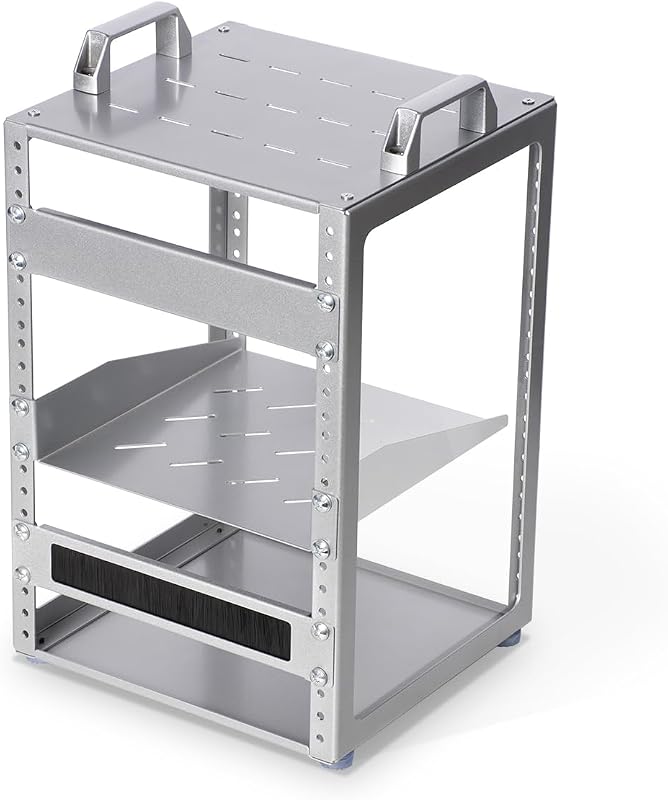
Plain 8U, 10-inch desktop rack
Same width, same eight units, same shelves fit. It is a simpler frame with fewer trimmings, rated 4.8 stars, and it stacks if you ever buy a second. Forty dollars saved, nothing lost that a Jellyfin box cares about.
The shelves that hold it all
| Shelf | Holds | Price |
|---|---|---|
| Two 1U vented shelves, 7.87 in deep | the OptiPlex 7070 on one, the EliteDesk Mini on the other | $28.90 for the pair |
| 1U vented shelf, 10.23 in deep | the two-bay drive enclosure (it stands about 3U tall) or the single-drive dock | $25.99 |
| 0.5U shelf, 10.23 in deep | a small router, or the power bricks | $18.99 |
Switch and router
An 8-port TP-Link TL-SG108 is the usual $20 gigabit switch, and a 10-inch 1U mount made for it is $28.99, so it bolts in like real rack gear. If the cameras or an access point need power over Ethernet, a 10-port PoE+ switch with rack ears is $39.99.
The router is whatever the internet company gave you, or a small one of your own; it sits on the 0.5U or a 1U shelf. One short patch cable from each shelf to the switch, one from the switch to the router, done.
How the 8U fills up, top to bottom
| Slot | What |
|---|---|
| 1U | the switch, in its mount |
| 1U | router on a shelf |
| 1U | OptiPlex 7070 Micro, the Jellyfin box |
| 1U | HP EliteDesk Mini |
| 3U | the drive enclosure standing on its shelf |
| 1U | spare, for the power bricks or a second drive later |
Rack, three shelves and the switch mount: about $194 with the T1, about $154 with the budget rack.
Putting it together
- Order the box, the memory stick, the brick and the dock. Everything arrives in about a week.
- Open the box (one thumbscrew at the back, slide the lid), click the second memory stick into the empty slot, close it.
- Plug in the brick, a monitor and keyboard for the first boot only, and let Windows 11 Pro finish setting up. Name the computer Sunstone if you like.
- Windows Update until it says it is done, then install the Intel graphics driver from Intel's site so Quick Sync is awake.
- Drop the IronWolf in the dock, format it in Disk Management, give it the letter
D:. - Install Jellyfin Server, open
http://localhost:8096, add your libraries, switch on the hardware settings above. - Give the box a fixed address on your router, then install the Jellyfin app on each TV or stick and point it at that address. Phones and browsers reach it the same way.
- Unplug the monitor and keyboard. The box runs headless from now on; you will only ever open the web page again.
Running tally with the $99.99 box: box $99.99, memory $28, brick $15.88, dock $29.95, drive a gift. About $174 delivered, with returns on the big pieces.